Drone Obstacle Avoidance: What It Can and Can’t Do
Bywpdev
Article Summary
Drone obstacle avoidance can help reduce beginner crashes, but it is not a guarantee. Most systems use sensors to detect objects ahead and may warn the pilot or stop the drone before impact. They can still miss thin branches, wires, glass, water, side obstacles, or fast approaches. For beginners, stable GPS positioning, return-to-home, and optical-flow hovering are usually more important than obstacle avoidance alone. In the RCDronego lineup, the GT6 supports an optional obstacle-avoidance module for an extra layer of collision protection.
“Obstacle avoidance” is one of the most reassuring phrases a nervous new pilot can read. The idea that a drone will simply stop before it hits a tree sounds like exactly the safety net you want. But it is also one of the most misunderstood features in the beginner drone world — and buying based on the phrase alone can leave you disappointed or, worse, overconfident.
This guide explains what obstacle avoidance actually does, what it cannot do, how it fits alongside the features that protect beginners most, and where it sits in our own lineup. The goal is simple: help you understand collision safety honestly, so you buy the right drone for the right reasons.
⚡ Quick Answer
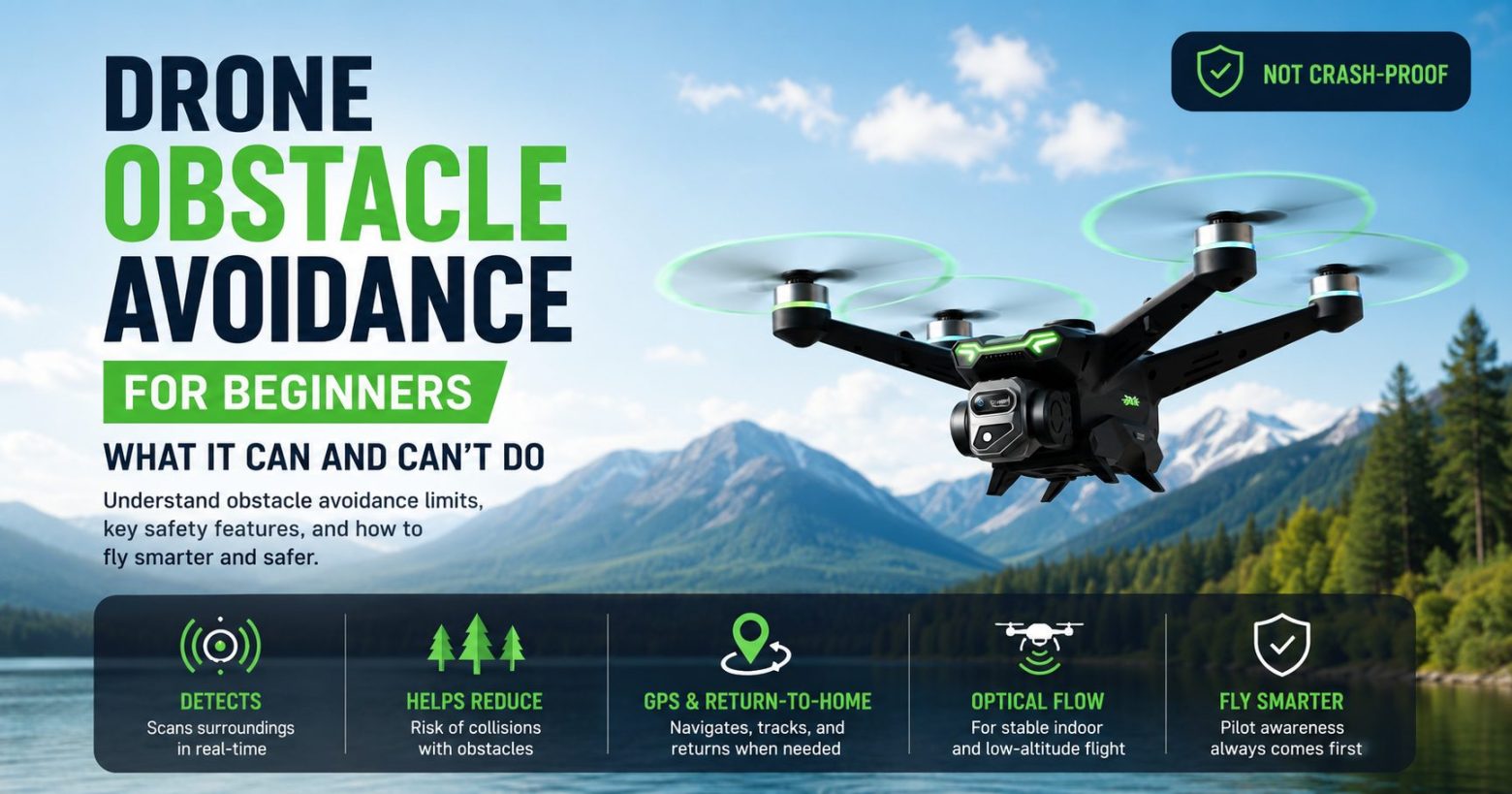
Obstacle avoidance uses sensors to detect objects in the drone’s path and either warn you or stop the drone to help reduce collisions. It is a helpful assist, not a crash-proof system. It can miss thin, transparent, reflective, side, or fast-approaching objects, so it never replaces careful flying. In our lineup, the GT6 supports an optional obstacle-avoidance module that can trigger an emergency stop when it detects an object ahead. For most beginners, the features that prevent crashes most reliably are stable GPS positioning, return-to-home, and optical-flow hovering.
What Obstacle Avoidance Actually Does
Obstacle avoidance systems use sensors — commonly infrared or vision-based — to detect something in the drone’s flight path. When the system sees an object, it may react in one of two ways: it warns you, or it slows and stops the drone before it reaches the obstacle.
On the GT6 with its optional obstacle-avoidance module fitted, the drone can trigger an emergency stop when an object is detected ahead. That gives you a moment to react instead of flying straight into the obstacle.
That “help you react” framing matters. Obstacle avoidance is best understood as an extra layer of protection that can catch some mistakes. It is not a system that lets you fly carelessly through trees, wires, walls, or tight spaces.
It reduces the chance of a collision. It does not remove the chance of a collision.
What Obstacle Avoidance Cannot Do
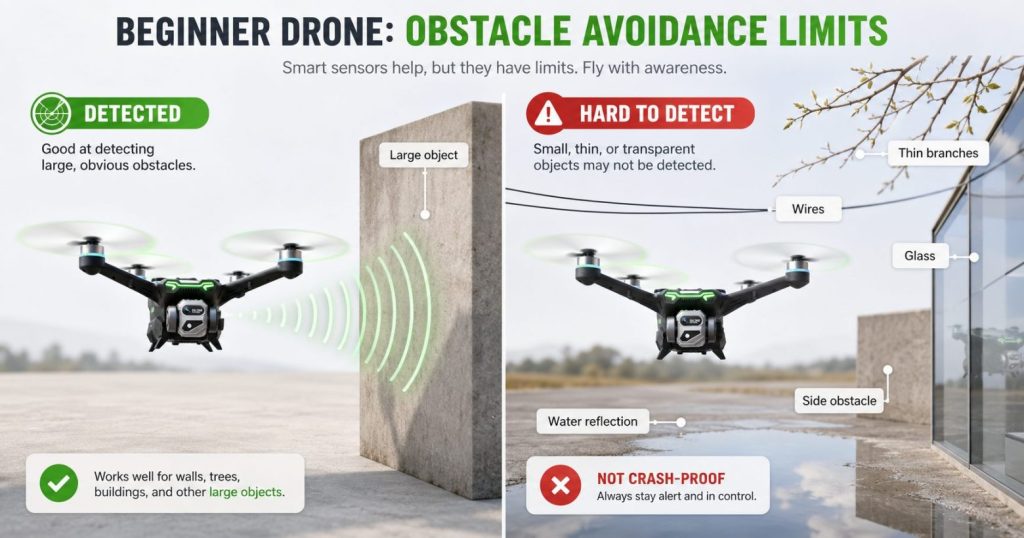
This is the part that many “best obstacle avoidance drone” lists skip, and it is the most important part for beginners to understand. No obstacle-avoidance system is foolproof. The common blind spots are consistent across the drone market.
- Thin objects: Branches, wires, cables, and fences can be hard for sensors to detect reliably.
- Transparent or reflective surfaces: Glass, mirrors, shiny surfaces, and water can confuse or slip past sensors.
- Fast approaches: Flying quickly toward an object gives the system less time to detect, react, and stop.
- Direction limits: Many beginner-drone systems only watch one direction, usually forward, not above, below, behind, or to the sides.
- Poor light: Low light, harsh backlight, or uneven lighting can reduce how well some sensors work.
- Complex environments: Trees, fences, poles, and mixed backgrounds can be more difficult than a clean wall or large object.
⚠️ None of this makes obstacle avoidance useless — it is a genuinely helpful assist. But it works best as a backup to good habits, not a substitute for them. A beginner who flies carefully in open space is far safer than one who flies recklessly and trusts the sensors to save the drone.
The Features That Actually Keep Beginners From Crashing
Here is the honest truth: for a new pilot, the features that prevent the most crashes are not always obstacle sensors. The most important beginner-safety features are the ones that keep the drone stable, predictable, and recoverable.
| Feature | What It Helps With | Beginner Priority |
|---|---|---|
| GPS positioning | Holds position outdoors and reduces drifting | High |
| Return-to-home | Helps bring the drone back after signal loss, low battery, or distance problems | High |
| Optical-flow hovering | Keeps low-altitude and indoor hovering steadier | High |
| Obstacle avoidance | Helps detect some objects and reduce collision risk | Helpful bonus |
GPS positioning helps hold the drone steady outdoors so it does not drift into things in the first place. Return-to-home helps bring the drone back when it gets too far, loses signal, or needs a safer recovery path. You can read how that works in our return-to-home guide. Optical-flow positioning helps the drone hover more steadily at low altitude and indoors, where many beginner bumps happen.
A drone that handles these fundamentals well will keep a beginner out of trouble more often than an obstacle sensor added to an unstable drone. Obstacle avoidance is a useful extra layer on top of a stable GPS drone. It should not be the only reason you choose a model.
Obstacle Avoidance in Our Lineup: GT6
If obstacle avoidance is a feature you specifically want, the GT6 is the model to look at.
⚠️ Important: the GT6 obstacle-avoidance module is optional, not fitted as standard on every package. Buyers should confirm that the selected version includes the obstacle-avoidance module before ordering.
GT6 4K GPS Drone — Optional avoidance module
Once the optional module is installed, the GT6 can trigger an emergency stop when it detects an object in front of the drone — helping to reduce the risk of a forward collision and giving you more time to react. What makes it a strong beginner choice is the whole package around it, not the module alone: GPS positioning, optical-flow support, a 2100KV brushless motor, a 4K camera with EIS, up to 2000 m of range, around 25 minutes of flight time, and a large 5.64-inch screen remote.
In our outdoor checks, we focus on stable positioning, return-to-home behavior, live-view reliability, and whether the drone feels predictable enough for beginner flying. In practice, the biggest confidence boost usually comes from stable GPS positioning and reliable return-to-home, with obstacle avoidance as a helpful extra rather than the star of the show.
Do You Actually Need Obstacle Avoidance?
Be honest about how and where you will fly. If you plan to fly in open parks, fields, and wide outdoor spaces — which is exactly where beginners should start — obstacle avoidance will rarely be the feature that saves you. Stable GPS flight, good hover control, and return-to-home matter more.
If you expect to fly in tighter spaces with more objects around, an obstacle-avoidance option adds a useful extra margin. It can help reduce beginner mistakes, especially when the drone is moving forward toward a larger object. But it still should not be treated as a license to fly close to people, trees, wires, fences, or buildings.
- Flying in open space as a beginner: prioritize GPS positioning and return-to-home first; obstacle avoidance is a bonus.
- Want an extra collision-safety margin: the GT6’s optional module gives you that layer.
- Flying indoors or very low: optical-flow stability usually matters more than forward obstacle sensors.
- Flying near trees, wires, or glass: do not rely on obstacle avoidance alone.
You can compare these safety and control features side by side in our guide to the best GPS drones for beginners to see which balance fits your flying style.
Common Beginner Mistakes With Obstacle Avoidance
Obstacle avoidance is useful, but only when the pilot understands its limits. These are the most common mistakes beginners make when they buy a drone because it advertises obstacle avoidance.
- Flying toward trees because you trust the sensor: branches and leaves can be hard to detect.
- Assuming it will detect wires or fences: thin objects are among the hardest targets for beginner-drone sensors.
- Forgetting that many systems only watch forward: side, rear, upper, or lower obstacles may not be covered.
- Flying too fast for the system to react: obstacle avoidance needs time and distance to help.
- Thinking it replaces GPS, return-to-home, or careful control: it does not.
- Buying only for the feature name: a stable drone with good GPS and RTH is often safer than an unstable drone with a basic obstacle sensor.
✓ The safest approach is simple: start in open space, fly slowly, keep the drone in sight, and treat obstacle avoidance as one extra backup layer.
Frequently Asked Questions
Obstacle avoidance uses sensors, commonly infrared or vision-based, to detect objects in the drone’s flight path. When it detects something, it may warn you or slow and stop the drone to help reduce the chance of a collision. On the GT6 with its optional module fitted, the drone can trigger an emergency stop when an object is detected ahead. It is best understood as an assist that helps you react, not a guarantee against all crashes.
It is helpful but not foolproof. Obstacle-avoidance systems can miss thin objects like branches and wires, struggle with glass and water, and have too little time to react if you fly quickly toward something. Many beginner systems also only watch one direction. It works best as a backup to careful flying rather than a replacement for it.
Not always. If you fly in open parks and fields where beginners should start, stable GPS positioning, return-to-home, and predictable hovering prevent more problems than obstacle sensors alone. Obstacle avoidance becomes more useful if you fly in tighter spaces with more objects nearby. For most beginners, it is a helpful bonus rather than the most important feature.
The GT6 supports an optional obstacle-avoidance module. It is an add-on rather than fitted as standard on every package, so buyers should confirm that the selected version includes the module before ordering. Once installed, the module can trigger an emergency stop when it detects an object ahead.
No. Obstacle avoidance can reduce the chance of a collision, but it does not remove it. It can miss thin, transparent, reflective, side, or fast-approaching objects. The safest approach is to fly carefully in open space and treat obstacle avoidance as an extra layer of protection, not a reason to take risks.
For most outdoor beginners, yes. GPS positioning helps hold the drone steady and reduces drifting, while return-to-home helps recover the drone if it gets too far or loses signal. Obstacle avoidance is useful, but it works best as an extra assist on top of stable GPS flight, not as a replacement for it.
The Bottom Line
Obstacle avoidance is a genuinely useful feature when you understand it correctly. It is an assist that helps reduce some collisions, not a guarantee that prevents all of them. For beginners, the features that keep you out of trouble most reliably are stable GPS positioning, return-to-home, and optical-flow hovering. If you want obstacle avoidance on top of those fundamentals, the GT6’s optional module gives you that extra layer of confidence.