Beginner Drone With Obstacle Avoidance: What to Buy
Bywpdev
Beginner Obstacle-Avoidance Decision
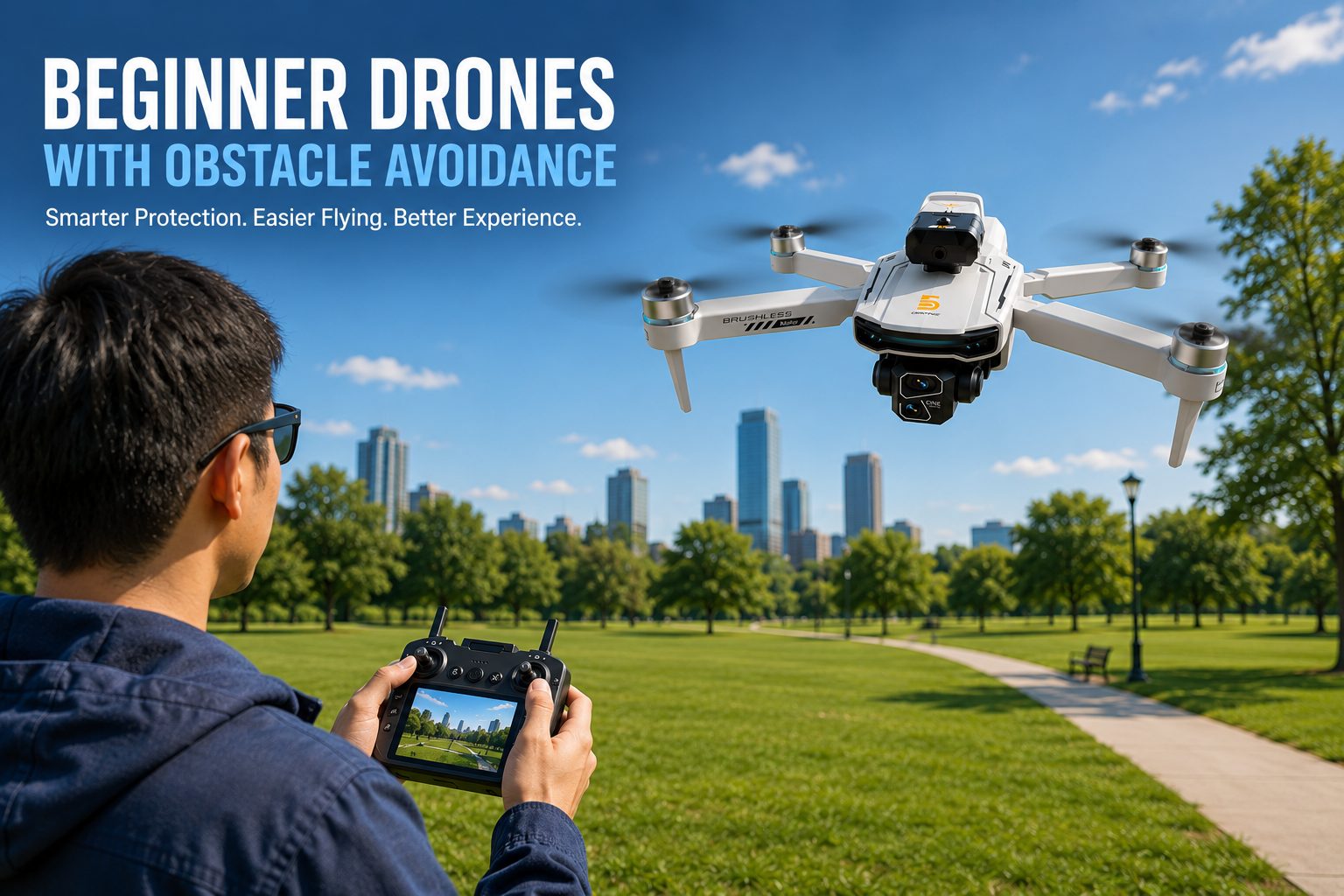
A beginner drone with obstacle avoidance can reduce some collisions, but it is not automatically the safest first drone. For outdoor learning, prioritize GPS positioning, return-to-home, stable hovering, and predictable control first; the GT6 adds an optional forward obstacle-avoidance module on top of those fundamentals. For lower, closer flying, the Z105 combines optical-flow hovering with listed 360-degree obstacle sensing, although the supplied data does not confirm exact sensing directions or stopping distance. Neither system is crash-proof. Thin branches, wires, glass, reflections, side obstacles, low light, and fast approaches may still be difficult to detect.
The phrase “obstacle avoidance” sounds like a simple promise: the drone sees a tree, stops, and prevents the crash. That is why nervous first-time buyers often place the feature at the top of their shopping list.
In practice, the buying decision is more complicated. Consumer drone sensors differ in direction, detection range, lighting needs, reaction behavior, and the type of objects they can recognize. A drone can advertise obstacle sensing and still miss a thin branch or fail to see an object approaching from a blind side.
This guide focuses on the decision a beginner actually needs to make: whether obstacle avoidance should be a required feature, which flight fundamentals should come before it, and whether the GT6 or Z105 is the better match for the way you expect to fly. Readers who are still deciding between GPS, camera, indoor, and FPV categories should start with our first-drone buying guide.
A Beginner Drone With Obstacle Avoidance Still Needs Stable Flight First
Obstacle avoidance reacts to a specific object at a specific moment. GPS, optical flow, altitude hold, motor response, and controller input affect the drone throughout the entire flight. That makes flight stability the first layer of beginner protection and obstacle sensing the second.
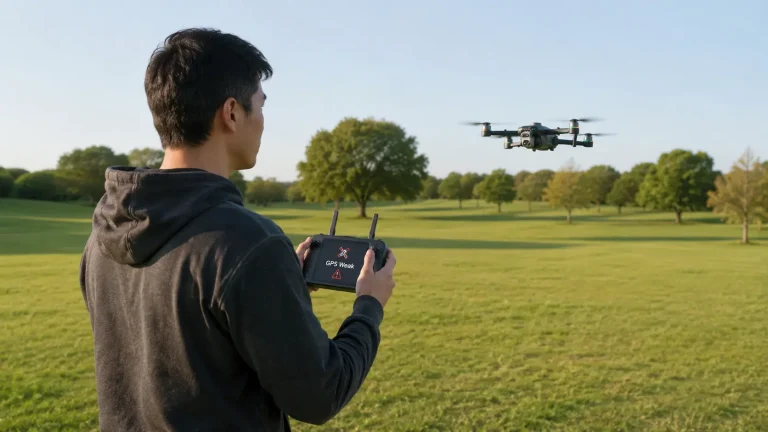
Outdoors, GPS helps a compatible drone maintain position instead of drifting while the pilot is learning the sticks. Return-to-home provides a recovery function when the aircraft loses connection, reaches a supported low-battery condition, or the pilot activates the feature manually. These functions do not prevent every collision, but they address the broader problems of drift, lost orientation, and flyaway anxiety.
Indoors or at low altitude, optical flow can help the drone hold position by reading movement relative to the surface below. It does not create a global home point, but it can reduce the constant corrections that make close-range practice stressful.
| Beginner Flight Feature | Problem It Helps Solve | What It Does Not Guarantee | Priority |
|---|---|---|---|
| GPS positioning | Outdoor position hold and location awareness | Reliable indoor hovering or collision prevention | High for outdoor beginners |
| Return-to-home | Supported recovery after signal loss, low battery, or manual activation | A clear return path or guaranteed landing accuracy | High for outdoor beginners |
| Optical-flow positioning | Low-altitude and indoor hover stability over a visible surface | Long-range navigation or a GPS home point | High for close-range practice |
| Obstacle avoidance | Detection of some objects in supported directions | Protection from every obstacle or flight angle | Helpful second layer |
| Propeller guards | Physical protection during light contact | Protection from hard impacts or all furniture and walls | Often more useful indoors |
Buying rule: Do not choose an unstable drone only because it advertises obstacle avoidance. Choose the positioning and control system for your normal flying environment first, then treat obstacle sensing as an additional margin.
Match Obstacle-Sensor Coverage to Where the Beginner Will Fly
The words “obstacle avoidance” do not tell you which direction the sensors watch. Some systems look mainly forward. Others use a movable sensing head or multiple sensors. Product descriptions may also use “360-degree sensing” without explaining whether that means continuous coverage, rotating detection, several fixed directions, or a marketing description of the sensor assembly.
Before buying, match the confirmed sensor behavior to the actual flying environment. A forward stop function can be useful when a GPS drone is moving toward a large tree, wall, or building. It does not necessarily help when the aircraft moves sideways, rises into a branch, backs toward an object, or descends near a railing.
| Expected Flying Area | Most Useful Safety Features | Obstacle-Avoidance Value | Main Risk |
|---|---|---|---|
| Open park or field | GPS, return-to-home, stable hover, clear screen view | Useful bonus | Overconfidence near trees at the edge of the field |
| Backyard with fences and trees | Low speed, optical flow, guards where practical, directional sensing | More useful | Thin branches, wires, and side obstacles |
| Living room or garage | Optical flow, low speed, propeller protection | Limited unless coverage and minimum distance are confirmed | Furniture, curtains, reflective surfaces, and tight stopping space |
| Coastline or lake | GPS, battery reserve, wind awareness, manual control | Limited value over open water | Water reflections, wind, and no safe emergency landing area |
| Wooded trail or dense trees | Very cautious manual flight or choose another location | Should not be relied on | Branches, leaves, changing light, and blind-side obstacles |
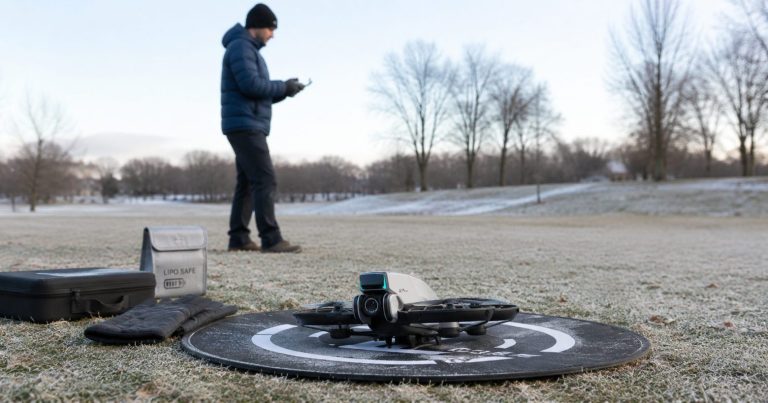
A beginner should learn in a wide, low-risk area even when the drone includes sensors. Obstacle avoidance is most useful when it catches an occasional mistake. It is least useful when the pilot deliberately chooses a space so tight that the sensors must work continuously to prevent a collision.
What Drone Obstacle Avoidance Commonly Misses
Obstacle sensing is easier when the object is large, solid, well lit, and directly inside the sensor’s field of view. Detection becomes less predictable when the object is narrow, transparent, reflective, moving, poorly lit, or outside the supported direction.
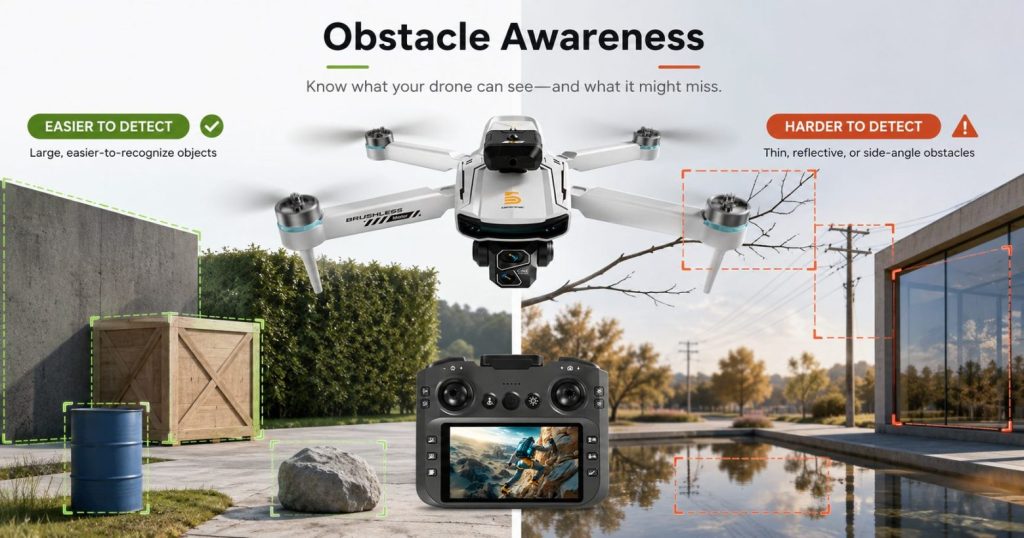
- Thin branches and wires: A sensor may not receive enough visual or distance information from a narrow object.
- Glass doors and windows: Transparent or reflective surfaces can produce weak, misleading, or incomplete readings.
- Water and strong reflections: Shifting reflections may confuse a vision-based or distance-based system.
- Side, rear, upward, or downward obstacles: The drone may not watch every direction, even when the product description sounds comprehensive.
- Fast approaches: A sensor can detect an object but still have too little distance or time to stop the aircraft.
- Low light or harsh backlight: Camera-based sensing can lose contrast and detail.
- Soft or moving objects: Curtains, leaves, people, pets, and flexible materials may be difficult to classify consistently.
- Small indoor spaces: The drone may need more braking distance than the room provides.
Not crash-proof: Obstacle avoidance can reduce some collisions, but it cannot make reckless flying safe. Never test sensors by flying toward people, animals, vehicles, glass, water, power lines, or valuable property.
GT6: GPS Drone With an Optional Obstacle-Avoidance Module
The GT6 GPS brushless drone is the stronger fit for a beginner who expects to fly mainly outdoors and wants obstacle assistance added to a broader GPS safety package.
Based on the product specifications provided by RCDronego, GT6 supports an optional obstacle-avoidance head. The buyer must confirm that the selected package includes the module. When installed, the module is described as triggering an emergency stop after detecting an obstacle ahead. That makes it a forward collision-assistance feature, not a confirmed omnidirectional avoidance system.
The reason to consider GT6 is the combination around that optional module. The aircraft is listed at 209g and includes GPS positioning, optical-flow support, a 5.64-inch screen remote, a 4K camera with EIS, 1503 brushless motors rated at 2100KV, a 7.4V 1300mAh battery, and approximately 25 minutes of listed flight time. Control and video transmission are both listed up to 2000 meters under stated conditions.
Those distance and flight-time figures are supplier specifications, not guaranteed real-world results. Wind, temperature, battery condition, interference, terrain, climbing, camera use, and flight style can reduce actual performance. A beginner should remain much closer than the listed maximum distance and maintain a clear view of the aircraft.
Choose GT6 if:
- You plan to learn in open outdoor areas.
- You want GPS, optical flow, and a built-in screen remote before adding obstacle assistance.
- You understand that the avoidance head is optional and must be confirmed in the package.
- You want a system that can help stop a forward approach toward some visible obstacles.
- You prefer a longer listed flight time than a close-range indoor-style drone.
Skip GT6 if:
- You need confirmed all-direction obstacle coverage.
- You expect to fly mainly in a small indoor room.
- You want propeller guards as the primary protection system.
- You assume the optional sensor can safely navigate through branches or wires.
- You do not want to verify package contents before ordering.
Return-to-home remains the more important outdoor recovery feature. Review the separate GPS return-to-home guide before relying on automatic recovery during a longer flight.
Z105: Optical-Flow Drone With Listed 360° Obstacle Sensing
The Z105 foldable drone is the closer-range alternative for buyers who place obstacle sensing and optical-flow hovering ahead of confirmed GPS distance.
The supplied RCDronego specifications list a 4.3-inch screen remote, 360-degree obstacle sensors, 1503 brushless motors, dual cameras, a 90-degree adjustable lens, optical-flow hovering, intelligent flight modes, Wi-Fi transmission, a modular battery, and a foldable gray or black body.
The phrase “360-degree obstacle sensors” should be treated carefully. The provided data does not confirm the exact sensing directions, field of view, minimum detection distance, braking distance, lighting requirements, or whether the system actively reroutes the drone or only stops it. Those details remain To Be Confirmed.
Z105 makes more sense for controlled, close-range practice than for a beginner who wants GPS return support and longer outdoor flight paths. Optical flow can help the aircraft hold a low hover, but it does not replace a GPS home point.
Choose Z105 if:
- You expect to practice mainly at low altitude and close to the pilot.
- You want a screen remote without using a phone as the main display.
- You value listed multi-direction obstacle sensing and optical-flow hovering.
- You are comfortable confirming the exact sensor behavior before purchase.
- You do not need confirmed GPS return-to-home.
Skip Z105 if:
- Your main use is longer outdoor GPS flight.
- You need confirmed control range, transmission distance, weight, or flight time before ordering.
- You expect the sensors to navigate autonomously through a cluttered room.
- You need full propeller protection for contact with walls or furniture.
- You want a verified return-to-home function.
GT6 vs Z105: Which Obstacle-Avoidance Setup Fits a Beginner?
| Decision Point | GT6 | Z105 |
|---|---|---|
| Best use | Outdoor beginner GPS flying | Close-range optical-flow practice |
| Obstacle feature | Optional module; described as emergency stop after detecting an obstacle ahead | Listed 360° obstacle sensors; exact coverage and reaction behavior To Be Confirmed |
| Positioning | GPS + optical flow | Optical flow |
| Return-to-home | GPS-based return support | Not confirmed |
| Remote | 5.64-inch built-in screen | 4.3-inch built-in screen |
| Camera | 4K + EIS | Dual camera + 90° adjustable lens |
| Listed flight time | Approximately 25 minutes | To Be Confirmed |
| Listed range | Control and transmission up to 2000m under stated conditions | To Be Confirmed |
| Buyer caution | Confirm the optional avoidance head is included | Confirm exact sensing directions and stopping behavior |
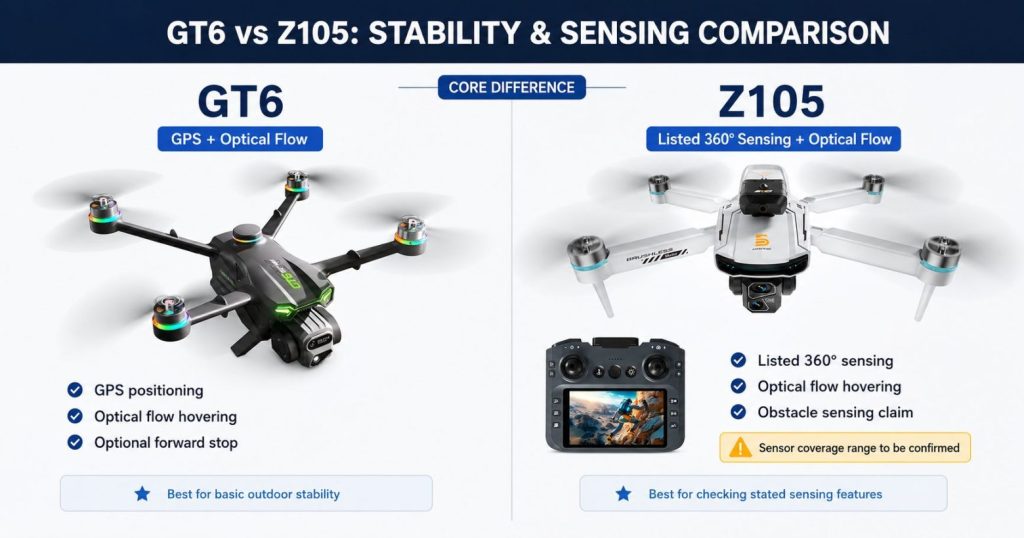
Choose GT6 when outdoor stability, GPS return support, screen-remote convenience, and longer listed endurance are the foundation of the purchase. Add the optional obstacle module for another layer of forward collision assistance.
Choose Z105 when the flight will remain lower and closer, optical-flow hovering matters more than GPS return, and the buyer specifically wants the listed obstacle-sensing package. Confirm the unprovided technical details before treating it as a final purchase decision.
Most outdoor beginners: GT6 is the more complete starting system because obstacle assistance sits on top of GPS, return support, optical flow, and a larger screen remote. Z105 is the more specialized close-range choice.
How to Test Drone Obstacle Avoidance Without Creating a Crash
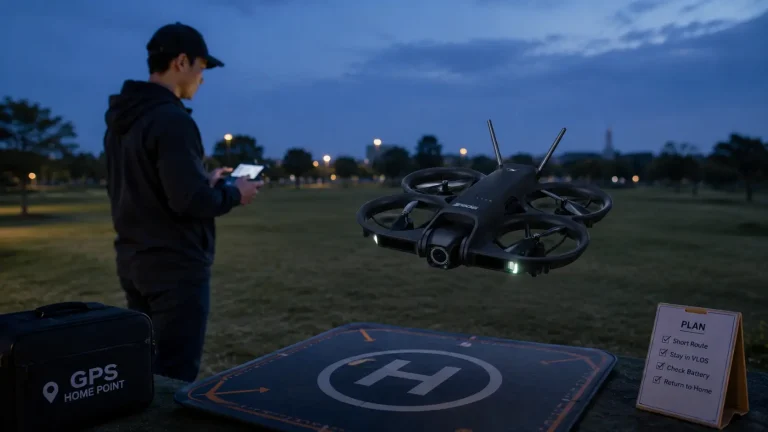
A sensor should be tested deliberately before it becomes part of the pilot’s safety assumptions. The goal is not to prove that the drone can fly toward an obstacle at full speed. The goal is to learn which direction the sensor watches, how early it reacts, and whether the response is a warning, slowdown, stop, or another behavior.
- Use an open area. Keep people, pets, vehicles, glass, water, and overhead wires away from the test.
- Start with a large, solid object. Use a wide cardboard box or another visible, nonvaluable target rather than a tree, wall, or person.
- Keep the drone low and close. Maintain manual control and enough space to stop or move away.
- Select the slowest suitable speed mode. Fast approaches reduce reaction time and do not represent a sensible beginner test.
- Approach one direction at a time. Test forward sensing first, then only test another direction when the manual or product data confirms that direction is supported.
- Stop the test manually if the drone does not react early. Do not continue until contact.
- Repeat under similar lighting. A single successful stop does not prove equal performance in shade, backlight, dusk, or indoors.
- Record what happened. Note the approximate speed, direction, lighting, object type, and whether the drone warned, slowed, or stopped.
RCDronego has provided outdoor flight footage for general flight behavior. The clip should not be interpreted as a controlled obstacle-avoidance test unless the obstacle, approach direction, sensor response, and test conditions are visible and documented.
When a Beginner Should Spend on GPS, Guards, or a Screen Instead
Obstacle sensing is not always the best place to spend a limited budget. The better feature depends on the mistake the beginner is most likely to make.
| Beginner Concern | Feature to Prioritize | Why |
|---|---|---|
| “I am afraid the drone will drift away outdoors.” | GPS positioning | Helps the drone maintain an outdoor position instead of requiring constant correction |
| “I am afraid I will lose orientation or signal.” | Return-to-home | Provides a supported recovery function when configured and used correctly |
| “I will practice in a small room.” | Propeller guards, low speed, optical flow | Physical protection and low-hover stability may matter more than sensor claims |
| “I do not want to use my phone.” | Built-in screen remote | Reduces setup steps and keeps the live view on a dedicated controller |
| “I want smoother outdoor video.” | EIS or a gimbal | Stabilization affects footage more directly than obstacle detection |
| “I will fly near trees and structures.” | Open-space practice first, then obstacle assistance | Sensors should add margin, not justify a high-risk location |
For a gift buyer, the most reassuring label may not be the most useful feature. A guarded, low-speed drone may be easier for indoor family use. An adult beginner who wants outdoor travel footage may be better served by GPS, return-to-home, a screen remote, and a longer battery package before paying extra for obstacle sensing.
What RCDronego Can Confirm—and What Remains To Be Confirmed
| Item | Confirmed From Provided Specifications | Not Yet Confirmed |
|---|---|---|
| GT6 obstacle module | Optional module; described as emergency stop after detecting an obstacle ahead | Sensor type, field of view, detection distance, braking distance, low-light behavior |
| GT6 flight system | GPS + optical flow, 5.64-inch screen remote, listed ~25-minute flight time, listed 2000m control and transmission | Controlled obstacle-test report and measured stopping performance |
| Z105 obstacle system | Listed 360° obstacle sensors and optical-flow hovering | Exact coverage directions, reaction behavior, stopping distance, lighting limits |
| Z105 core values | 4.3-inch screen remote, 1503 brushless motors, dual camera, 90° lens, modular battery | Weight, control range, transmission distance, flight time, current starting price |
| Outdoor video | General outdoor flight footage is available | A documented obstacle-avoidance test with repeatable conditions and results |
This distinction matters because an obstacle-avoidance product claim should not be converted into a universal performance promise. Buyers should confirm the package, sensor directions, operating instructions, and any limitations shown in the product manual before ordering.
Frequently Asked Questions About Beginner Drones With Obstacle Avoidance
GT6 is the stronger choice for most outdoor beginners because it combines GPS positioning, optical flow, return support, a 5.64-inch screen remote, and approximately 25 minutes of listed flight time. Its obstacle-avoidance head is optional, so confirm that the selected package includes it. Z105 is the closer-range alternative with listed 360-degree obstacle sensing and optical-flow hovering, but several performance values remain To Be Confirmed.
No. Obstacle avoidance is an assist, not a crash-proof system. Thin branches, wires, glass, water reflections, side obstacles, poor light, and fast approaches may still be difficult to detect. The pilot should learn in open space, use low speed, maintain visual awareness, and be ready to stop or steer manually.
Outdoor beginners usually benefit more from GPS positioning and return-to-home because those features help with position hold, orientation, and recovery throughout the flight. Obstacle avoidance helps only when a supported sensor detects an object in time. It is best treated as an additional layer after the core flight system is chosen.
No. The GT6 supports an optional obstacle-avoidance head. Buyers should confirm the selected package before ordering. With the module installed, the provided specification describes an emergency stop after detecting an obstacle ahead; it does not confirm all-direction coverage.
It can help in some indoor situations, but small rooms create short stopping distances and many difficult surfaces such as glass, dark furniture, curtains, and reflective objects. Optical-flow hovering, low speed, and propeller guards may be more important for a first indoor drone. Do not assume obstacle sensors make a cluttered room safe.
Confirm whether the sensor is included or optional, which directions it watches, whether the drone warns, slows, stops, or reroutes, the minimum detection and stopping distance, lighting limits, compatible speed modes, GPS and optical-flow support, battery package, and the values that remain supplier-listed rather than guaranteed real-world performance.
The Bottom Line
A beginner drone with obstacle avoidance should be selected by flight environment, not by the sensor label alone. GT6 is the more complete outdoor choice because its optional forward obstacle module sits on top of GPS, return support, optical flow, a 5.64-inch screen remote, and longer listed endurance. Z105 is the closer-range alternative with listed 360-degree obstacle sensing and optical-flow hovering, but several important values remain To Be Confirmed. In both cases, obstacle avoidance is an assist—not permission to fly through branches, wires, glass, water reflections, or tight spaces. Choose stable flight first, confirm the sensor package and coverage second, and practice in open space before depending on any automatic response.