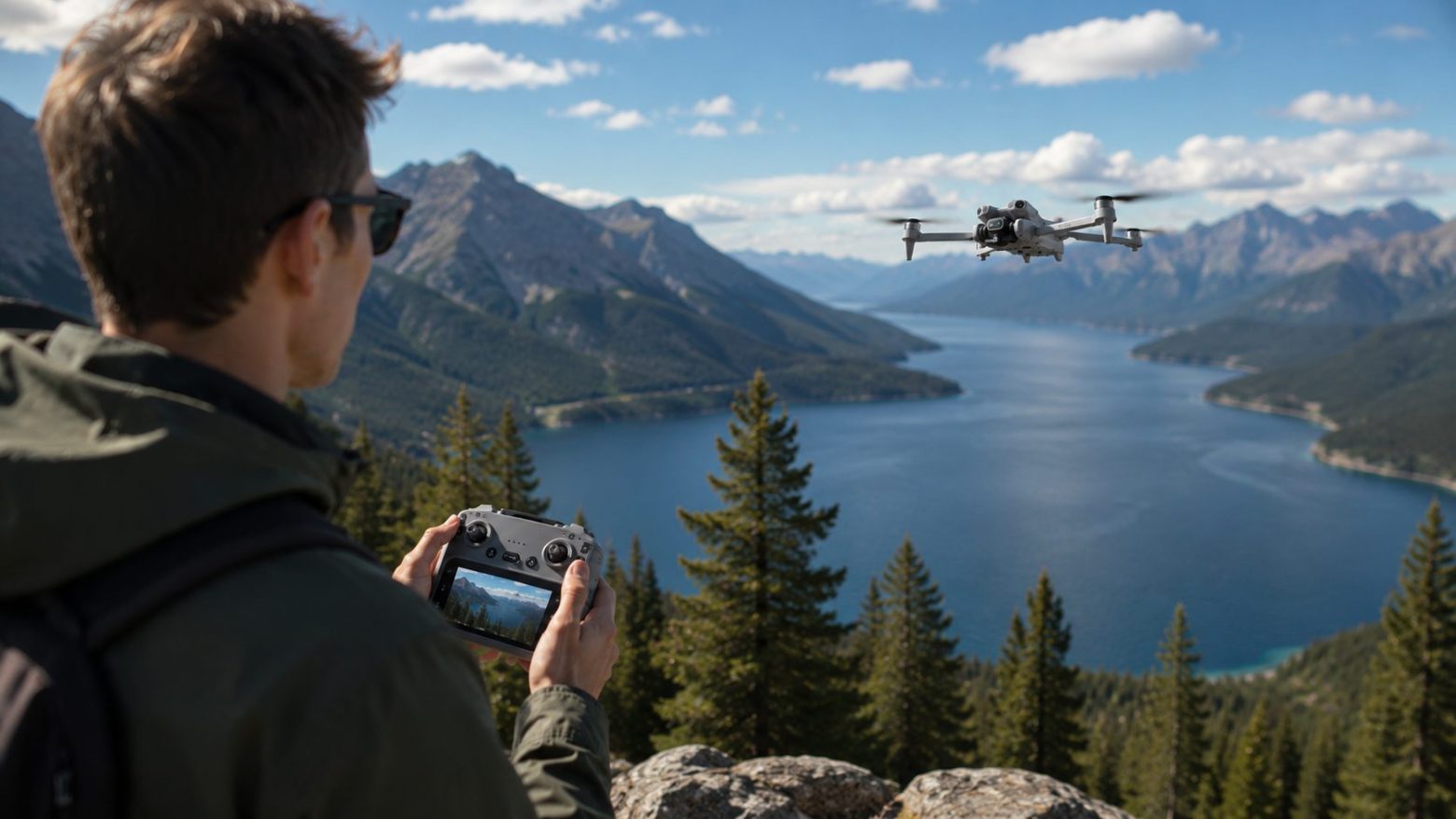
How to Choose Your First Drone: GPS, Camera, or FPV?
Bywpdev
First Drone Decision Summary
Choose your first drone by starting with the flying environment, not the longest specification list. For open outdoor flying, prioritize GPS positioning and return-to-home support. For indoor or low-altitude practice, prioritize optical flow and propeller protection. For aerial video, compare EIS, a mechanical gimbal, and camera-angle control rather than relying on the resolution label alone. Choose FPV only when the first-person experience is the main goal. Within the current RCDronego lineup, GT6 is the most balanced outdoor option, XT606 is the simpler GPS starting point, XT808 emphasizes a larger screen, S-X1 prioritizes stabilized video, AE20 Max offers flexible camera angles, and Aeri 100 VR is the immersive FPV option.
Learning how to choose your first drone is difficult because beginner product pages often present every feature as essential. GPS, optical flow, obstacle assistance, 4K video, screen remotes, FPV goggles, transmission distance, and flight time all sound useful, but they solve different problems.
The right first drone is not the model with the highest number in every column. It is the model that makes your intended type of flying easier. An outdoor pilot needs different support from someone practicing in a living room. A traveler recording aerial footage needs different camera hardware from someone who mainly wants an immersive FPV view.
Scope note: This guide compares beginner-friendly models currently represented in the RCDronego lineup. It is not a market-wide ranking of every drone brand. The purpose is to help you identify the right drone type first and then choose the closest match from the available models.
Quick Picks From the RCDronego Lineup
| Model | Best For | Why It Stands Out | Main Tradeoff |
|---|---|---|---|
| GT6 | Balanced outdoor flying | GPS, optical flow, EIS, screen remote, and practical listed flight time | No confirmed 3-axis gimbal |
| XT606 | Simpler GPS starting point | GPS, return-to-home, screen remote, and a compact controller display | Shorter listed transmission distance than several other GPS models |
| XT808 | Larger live-view screen | 5.9-inch screen remote, GPS, optical flow, and an adjustable camera angle | Flight time and distance remain to be confirmed |
| S-X1 | Stabilized aerial video | 4K at 50 fps, 3-axis gimbal, EIS, and digital video transmission | Best suited to buyers who will use the added camera hardware |
| AE20 Max | Flexible travel framing | 180-degree adjustable camera and screen-remote control | An adjustable lens is not the same as a mechanical gimbal |
| Z105 | Close-range practice | Optical flow, screen remote, dual cameras, and obstacle assistance | Several key specifications remain to be confirmed |
| Aeri 100 VR | Beginner FPV experience | Lightweight body, optical flow, altitude hold, and FPV viewing | Shorter listed flight time and Wi-Fi transmission distance |
This table is a starting point, not a substitute for matching the drone to your environment. A model can look stronger on paper and still be the wrong first choice if you plan to fly in a different setting.
How We Selected These Beginner-Friendly Drones
The recommendations in this guide use the product information currently provided for the RCDronego lineup. We compared each model by its intended flying environment, positioning system, controller type, camera stabilization, aircraft weight, listed flight time, and known control or video-transmission limits.
Supplier-listed range, transmission distance, and battery life are treated as specifications rather than guaranteed real-world results. Where a value has not been confirmed, it remains marked as To Be Confirmed. We do not treat obstacle assistance as crash prevention, an adjustable lens as a gimbal, or a large resolution label as proof of stable footage.
Step 1: Choose Where You Will Fly
The flying environment should make the first major decision for you. GPS, optical flow, propeller guards, and FPV equipment are not interchangeable upgrades. Each one is useful in a different setting.
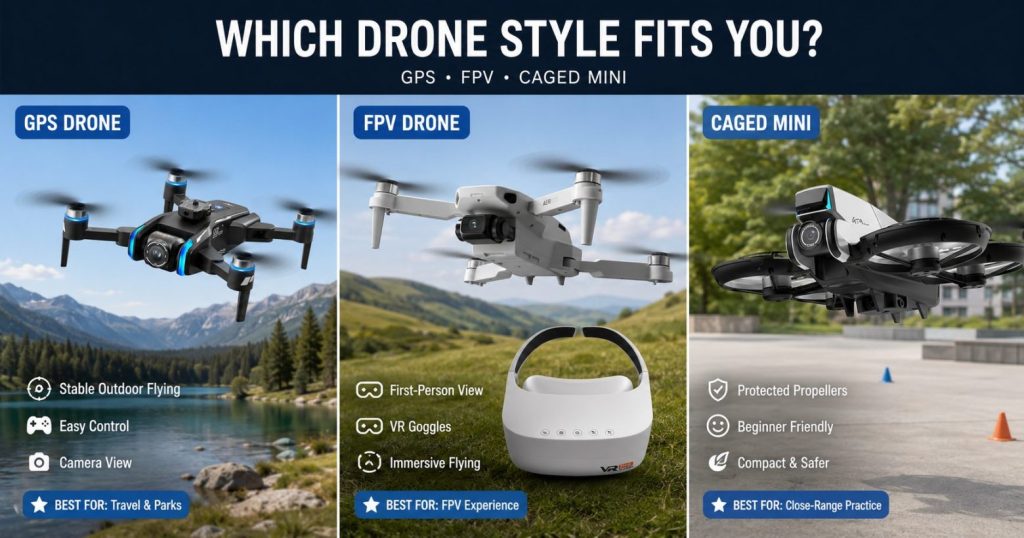
Choose GPS for Open Outdoor Flying
GPS positioning is the most useful starting point for adults who expect to fly in parks, fields, open travel locations, or other areas with a clear view of the sky. On compatible models, GPS supports outdoor position hold, home-point recording, and return-to-home behavior.
GPS does not make every flight automatic or guarantee recovery. The pilot still needs to confirm the home point, monitor battery reserve, understand the return behavior, and avoid relying on the maximum listed distance. For a deeper product comparison, use the guide to the best GPS drones for beginners.
Choose Optical Flow and Guards for Indoor Practice
Optical flow uses a downward-facing camera or sensor system to detect movement relative to the surface below the drone. It is most useful during low-altitude hovering, especially indoors or in GPS-weak conditions.
For a living room, garage, or other tight practice area, physical propeller protection may be more valuable than long-distance specifications. Guards can reduce damage during light contact, although they do not make a drone safe to collide with people, furniture, walls, or fragile objects.
Choose FPV When Immersion Is the Main Goal
FPV places the live camera view directly in front of the pilot. It can feel more immersive than watching a standard controller screen, but it also requires stronger orientation awareness and more attention to the surroundings.
Most first-time outdoor buyers will find a regular GPS drone more forgiving. A beginner FPV model makes sense when the first-person experience itself is the reason for buying, not when the buyer simply wants the easiest outdoor introduction.
Environment rule: Choose GPS for open outdoor flight, optical flow and guards for indoor practice, and FPV only when an immersive camera view is your primary objective.
Step 2: Choose How You Want to Control the Drone
The controller can change the beginner experience as much as the aircraft. A technically capable drone may still feel inconvenient when every flight depends on mounting a phone, opening an app, handling permissions, or viewing a dim screen outdoors.
| Control Setup | Best For | Beginner Advantage | Tradeoff |
|---|---|---|---|
| Built-in screen remote | Outdoor GPS flying, travel, and quick setup | Dedicated live view without using a phone as the main display | Larger controller and usually a more expensive package |
| Phone-assisted remote | Budget and casual close-range use | Uses a familiar display and may reduce package cost | Depends on the app, phone mount, connection, brightness, and compatibility |
| FPV goggles | Immersive first-person flying | Direct camera-view experience | Reduced surrounding awareness and a steeper learning curve |
Screen size also matters. XT606 uses a confirmed 4.3-inch display, GT6 uses a 5.64-inch screen, and XT808 has a confirmed 5.9-inch display. A larger screen can make composition easier, while a smaller remote may be easier to pack.
Step 3: Choose the Camera System You Actually Need
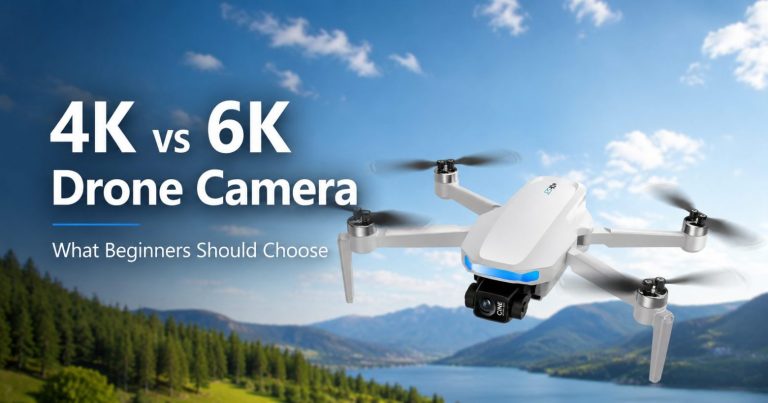
A 4K label does not explain how stable, controllable, or useful the footage will be. Beginners should compare the type of stabilization and camera movement before choosing by resolution alone.
EIS for Casual Electronic Stabilization
Electronic image stabilization uses digital processing to reduce visible shake. It can improve casual aerial clips, but it may crop the frame and cannot remove every movement caused by wind, fast turns, or abrupt control input.
A 3-Axis Gimbal for Mechanical Camera Control
A gimbal physically stabilizes the camera across multiple axes. Based on the provided product specifications, S-X1 combines a 3-axis gimbal, EIS, and 4K recording at 50 fps. That gives it the strongest confirmed camera-stabilization package in this comparison.
An Adjustable Lens for Framing Flexibility
AE20 Max and XT808 use confirmed 180-degree adjustable camera designs. That can help the pilot move between forward, angled, and more downward-looking views. It does not provide the same function as a mechanical gimbal.
Buyers whose main purpose is aerial video should compare stabilization, live-view comfort, camera-angle control, and battery planning. The narrower camera drone guide for beginners handles that image-quality decision in more detail.
Step 4: Read Range and Flight Time Correctly
Control range, video transmission distance, and flight time are three different specifications. A drone may continue receiving control commands after the video feed weakens, or the video may remain visible while interference makes control less predictable.
- Control range is the listed distance at which the remote can send flight commands under stated conditions.
- Video transmission distance is the listed distance at which the live feed can be received under stated conditions.
- Flight time is the listed airborne duration under the supplier’s test conditions.
None of these values should become a beginner flight target. Wind, temperature, battery condition, radio interference, terrain, climbing, speed, camera use, and pilot behavior can reduce real-world performance. Battery power must also cover the return path and a safe landing reserve.
Which RCDronego Model Fits Your First Flight?
GT6: Best Balanced Outdoor Choice
Verdict: The GT6 GPS brushless drone offers the most balanced combination of outdoor positioning, screen-remote convenience, electronic stabilization, and listed flight time among the confirmed models in this guide.
Choose it if: You plan to fly mainly outdoors, want GPS and optical flow in one model, prefer a built-in 5.64-inch screen, and want 4K with EIS without moving to a confirmed 3-axis gimbal.
Skip it if: Mechanical camera stabilization is your top priority, most flights will be indoors, or you expect the optional obstacle-assistance head to prevent every collision.
- 209g foldable aircraft
- GPS plus optical-flow positioning
- 4K camera with EIS
- 5.64-inch screen remote
- Approximately 25 minutes of listed flight time
- Listed control and transmission distance up to 2000m under stated conditions
- Optional obstacle-assistance head; confirm the selected package
XT606: Simpler GPS Starting Point
Verdict: XT606 is the most straightforward option for a first-time buyer who wants GPS, return-to-home support, a screen remote, and a 4K front camera without prioritizing the most advanced camera hardware.
Choose it if: You want a compact 4.3-inch screen controller, plan to record close and controlled outdoor footage, and value a simpler GPS setup.
Skip it if: You want the largest controller display, longer listed transmission distance, or a confirmed mechanical gimbal.
- 223g foldable aircraft
- GPS and return-to-home support
- 4K front camera
- 4.3-inch screen remote
- Approximately 25 minutes of listed flight time
- Listed control range up to 500m
- Listed video transmission up to 300m
XT808: Best for a Larger Controller Screen
Verdict: XT808 is the best fit for a beginner who values a larger live-view display and wants GPS, optical flow, and an adjustable camera angle in one foldable model.
Choose it if: A 5.9-inch screen will make outdoor composition easier and you want a 180-degree adjustable camera.
Skip it if: You need confirmed flight-time, control-distance, or video-transmission data before ordering.
- 227g foldable aircraft
- GPS plus optical-flow positioning
- 4K camera with 180-degree adjustable lens
- 5.9-inch screen remote
- 1503 brushless motors
- 7.4V 1300mAh battery
- Flight time and distance: To Be Confirmed
S-X1: Best for Stabilized Aerial Video
Verdict: S-X1 is the strongest match for a first-time buyer whose main reason for owning a drone is smoother aerial video.
Choose it if: You will use the 3-axis gimbal, EIS, 4K recording at 50 fps, and digital video transmission for planned travel or vlogging footage.
Skip it if: You mainly want casual recreational flying, need confirmed flight-time data, or do not need the additional stabilization hardware.
- 237g foldable aircraft
- 4K recording at 50 fps
- 3-axis gimbal plus EIS
- Screen remote
- Digital video transmission listed up to 5000m
- Control distance: To Be Confirmed
- Flight time: To Be Confirmed
AE20 Max: Best for Flexible Camera Angles
Verdict: AE20 Max is designed for beginners who want to change between forward, angled, and more downward-looking views without manually repositioning a fixed camera before every shot.
Choose it if: Travel framing, a built-in screen remote, and the 180-degree adjustable camera are more important than a confirmed 3-axis gimbal.
Skip it if: Mechanical stabilization is the deciding feature or you need the longest listed endurance in the comparison.
- 246g foldable aircraft
- 4K camera with 180-degree adjustable lens
- Built-in screen remote
- Approximately 22 minutes of listed flight time
- Listed control range up to 1000m
- Listed video transmission up to 800m
Z105: Best for Close-Range Practice
Verdict: Z105 is more relevant to buyers who want optical-flow hovering, screen-based control, and obstacle assistance for close-range use than to buyers shopping mainly for confirmed GPS range.
Choose it if: You value a 4.3-inch screen remote, dual cameras, a 90-degree adjustable lens, brushless motors, and optical-flow support.
Skip it if: You require confirmed weight, range, flight time, price, or detailed obstacle-sensor performance before ordering.
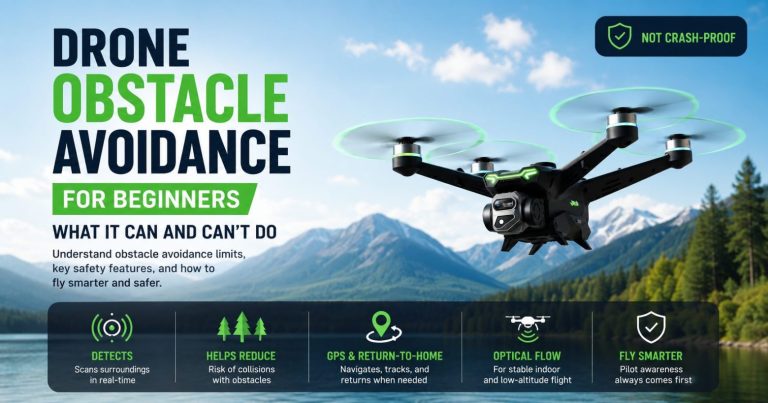
The obstacle sensors are an assistance feature, not collision protection. Thin branches, wires, glass, reflections, side obstacles, and fast approaches may still be difficult to detect.
Aeri 100 VR: Best for a Beginner FPV Experience
Verdict: The Aeri 100 VR FPV drone is intended for beginners who specifically want an immersive first-person view rather than the broader outdoor recovery support of a GPS model.
Choose it if: A lightweight foldable body, optical flow, altitude hold, dual cameras, and an FPV view are the main reasons for buying.
Skip it if: You want GPS return support, longer listed flight time, or longer video transmission.
- 136g foldable aircraft
- Optical flow plus altitude hold
- Dual-camera FPV view
- Brushless motors
- Approximately 10 minutes of listed flight time
- Approximately 100m listed control distance
- Approximately 30–50m listed Wi-Fi transmission
First Drone Comparison Table
| Model | Primary Beginner Role | Weight | Positioning | Camera / Stabilization | Screen or FPV View |
|---|---|---|---|---|---|
| GT6 | Balanced outdoor flying | 209g | GPS + optical flow | 4K + EIS | 5.64-inch screen |
| XT606 | Simpler GPS starting point | 223g | GPS + RTH | 4K front camera | 4.3-inch screen |
| XT808 | Larger controller display | 227g | GPS + optical flow | 4K, 180-degree lens | 5.9-inch screen |
| S-X1 | Stabilized aerial video | 237g | GPS | 4K at 50 fps, 3-axis gimbal, EIS | Screen remote |
| AE20 Max | Flexible camera framing | 246g | GPS | 4K, 180-degree lens | Screen remote |
| Z105 | Close-range optical-flow practice | To Be Confirmed | Optical flow | Dual camera, 90-degree lens | 4.3-inch screen |
| Aeri 100 VR | Beginner FPV experience | 136g | Optical flow + altitude hold | Dual-camera FPV view | FPV viewing |
Use This First Drone Decision Path
| Your Main Requirement | Feature to Prioritize | Model Direction |
|---|---|---|
| Easy, balanced outdoor flying | GPS, optical flow, screen remote, practical listed flight time | GT6 |
| Simpler GPS setup | GPS, return-to-home support, smaller screen remote | XT606 |
| Larger live-view display | 5.9-inch screen remote | XT808 |
| Smoother aerial video | 3-axis gimbal plus EIS | S-X1 |
| Flexible forward and downward framing | 180-degree adjustable camera | AE20 Max |
| Close-range and low-altitude practice | Optical flow and obstacle assistance | Z105 or a guarded beginner model |
| Immersive first-person flying | FPV view, optical flow, altitude hold | Aeri 100 VR |
Do not choose by adding every advertised feature together. Start with the one problem the drone must solve, then confirm that the selected package includes the required controller, battery count, camera configuration, and any optional obstacle accessory.
Check These Items Before Your First Flight
- Confirm that every propeller is installed on the correct motor position and has no cracks or deformation.
- Charge the aircraft battery and controller fully before leaving home.
- Verify the battery count and any optional obstacle accessory included in the selected package.
- Remove protective film and check the camera lens for dust, fingerprints, or moisture.
- For an outdoor GPS model, wait for the supported GPS lock and home-point confirmation before flying away.
- Begin with a low hover and confirm that the drone holds position before climbing.
- Keep a battery reserve instead of trying to use the full listed flight time.
- Do not use the maximum listed control or transmission distance as a beginner target.
- Check current airspace and operating requirements for the exact location.
Safety boundary: GPS, return-to-home, optical flow, propeller guards, and obstacle assistance reduce specific difficulties, but none guarantees recovery or prevents every collision. The pilot remains responsible for the aircraft, battery margin, surroundings, and flight path.
Frequently Asked Questions About Choosing a First Drone
For most adults planning to fly outdoors, a GPS drone with return-to-home support and a screen remote is the most forgiving starting point. For indoor practice, optical flow and propeller guards are more useful. Choose FPV only when the immersive first-person experience is the main goal.
Choose GPS for outdoor position hold and supported return-to-home behavior. Choose optical flow for low-altitude or indoor hovering where GPS is weak. A model that includes both can cover a wider range of beginner flying situations.
A built-in screen can make setup easier because the main live view does not depend on mounting a phone, opening an app, or using the phone for the flight display. The tradeoff is a larger controller and usually a higher package cost.
Obstacle assistance can help detect some visible objects, but it should not be treated as crash prevention. Thin branches, wires, glass, reflections, side obstacles, and fast approaches may still be difficult to detect. Careful low-speed practice and propeller guards are often more useful in tight indoor spaces.
EIS electronically reduces visible shake and can improve casual footage. A 3-axis gimbal physically stabilizes the camera and is more relevant when smooth aerial video is a primary requirement. An adjustable lens changes the camera angle but does not replace either stabilization system.
An FPV drone can be a good first choice when immersive first-person flying is your specific goal. Most outdoor beginners will find a regular GPS drone easier to manage because GPS position hold and return support provide a more forgiving introduction.
The Bottom Line
To choose your first drone, begin with the environment and the task. Choose GPS for open outdoor flight, optical flow and propeller protection for indoor practice, a gimbal or EIS when video quality matters, and FPV when immersion is the main objective. GT6 is the most balanced outdoor option in the current RCDronego lineup, XT606 offers a simpler GPS starting point, XT808 emphasizes a larger screen, S-X1 prioritizes stabilized video, AE20 Max provides flexible camera angles, Z105 focuses on close-range assistance, and Aeri 100 VR offers the FPV experience. Confirm the exact package and any unverified specifications before ordering.