

Can You Fly a Drone in the Rain? What Beginners Should Know
Bywpdev
Can you fly a drone in the rain? For a beginner, the conservative answer is no unless the exact aircraft documentation specifically permits the level of precipitation you are facing. A drone can have GPS, return-to-home, brushless motors, a screen remote, optical flow, obstacle assistance, EIS, or a gimbal and still have no verified protection against rain.
- No verified rain or water-resistance rating: choose dry conditions.
- Light rain or drizzle: still counts as moisture exposure; “light” does not mean harmless.
- Rain begins in flight: stop extending the route, return while control and visibility remain predictable, and land on the nearest suitable dry area.
- Thunder is heard: end the outdoor activity and seek proper shelter; this is a lightning decision, not a drone-performance test.
- Drone is wet after landing: power it down, do not charge a wet battery or wet aircraft, and follow the model’s drying or service instructions before reuse.
Rain creates a different problem from wind, cold, or flying over water. The aircraft is not merely dealing with a harder flight condition; moisture can reach the camera, sensors, battery bay, connectors, vents, motors, controller, and other exposed parts. The first question is therefore not “Can the drone stay in the air?” but “Is the entire flight system documented for this wet condition?”
A normal hover is weak evidence in rain. Strong GPS, a clear live view, normal motor sound, and predictable controls can all continue while the aircraft or controller is still being exposed to moisture. A drone that is still flying normally has not proved that the exposure is safe.
Can You Fly a Drone in the Rain? Check the Whole Rain Readiness Chain
A rain decision should begin with the aircraft manual or current manufacturer documentation, but the aircraft shell is only one part of the system. A flight is rain-ready only when every exposed part needed to complete the flight is suitable for the same conditions. A rain-rated aircraft with an unrated controller, exposed battery contacts, a vulnerable camera assembly, or an unusable landing area does not create a rain-ready flight.
The Rain Readiness Chain: aircraft enclosure → battery bay and contacts → controller or screen remote → camera and gimbal → optical-flow / obstacle sensors → launch and landing surface → visibility. The flight is only as rain-ready as the weakest exposed link.

“Waterproof” and “Water-Resistant” Are Not Interchangeable
Marketing words such as “waterproof” can be vague unless they are tied to a defined test or clearly stated operating limit. The International Electrotechnical Commission explains that Ingress Protection (IP) ratings classify the resistance of electrical enclosures to dust and liquids. A real IP code is useful because it points to a defined protection level; it does not automatically mean the entire drone is suitable for every type of rain, spray, immersion, or wet flight.
No IP Rating Does Not Mean the Drone Will Fail Immediately
A drone without a published IP or precipitation rating may appear to operate normally after a few drops. That still does not establish a safe operating envelope. It only means the exposure did not produce an obvious failure at that moment. Moisture can remain on connectors, lens surfaces, sensor windows, seams, or inside the body after the aircraft is powered down.
An IP Rating Still Has to Match the Actual Exposure
When a model does publish an ingress rating, read what that rating covers and what the manufacturer permits in flight. Different tests address different types of liquid exposure, and the test condition may not represent wind-driven rain entering around a moving propeller, an open battery door, a damaged shell, or a wet controller. Use the exact documentation rather than treating a higher-looking number as universal rain approval.
If you cannot point to current model-specific documentation that permits rain or the exact wet condition, treat the flight as dry-weather only. That is not because every unrated drone will fail in the first drops; it is because the usable exposure limit is unknown.
The Rain Risk Window Is Longer Than the Rainfall Window
Rain exposure does not begin only when obvious drops are falling, and it does not end the moment the shower stops. A useful way to plan a beginner flight is to think in three periods: before rain (dew, damp grass, wet launch surfaces), during rain (direct and wind-driven moisture), and after rain (wet ground, residue on the aircraft, and moisture around connectors or sensor windows).
During Rain: Drizzle Can Accumulate Even When Each Drop Looks Harmless
A short burst of fine rain and a 15-minute drizzle are not the same exposure. Water can build on the camera cover, arms, motor area, battery door, landing surface, and controller. A drone that looked nearly dry after takeoff may be noticeably wet by the time it returns. Without a documented wet-weather rating, the safe decision is not to use flight duration as an experiment.
Mist and Fog Add a Visibility Problem as Well as Moisture
Fog and mist can reduce contrast and make a small aircraft harder to track against the background. Moisture can also collect on the camera or sensor windows. A strong video link does not solve the loss of direct visual awareness, and a clean telemetry screen does not tell you whether the lens or downward sensor has become wet.
Before or After Rain: Wet Grass Can Expose the Drone Without Falling Rain
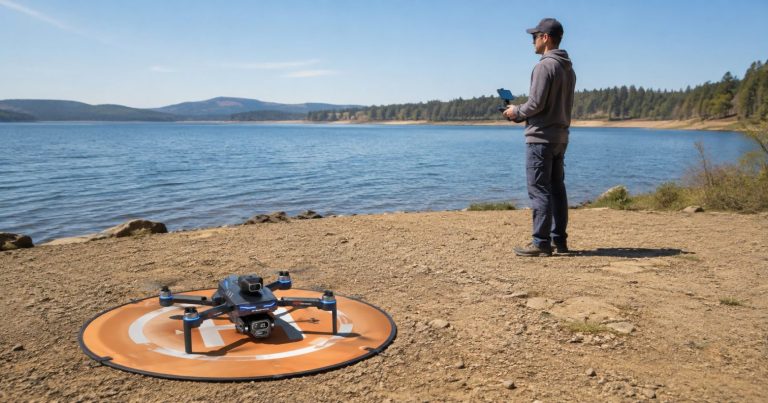
The sky can be dry while the launch surface is not. Tall wet grass can touch the body, camera, battery door, or propellers during setup. Prop wash can also throw water or debris from the ground toward the aircraft. Use a clean, dry launch surface and do not treat a damp lawn as equivalent to dry ground simply because rain has stopped.
| Condition | What Changes for the Drone | Beginner Decision |
|---|---|---|
| Dry air, dry launch surface | No precipitation exposure from the environment | Continue with normal preflight checks |
| Light drizzle, no verified wet-weather rating | Moisture can accumulate on openings, camera and sensors | No-go |
| Fog or mist | Moisture plus reduced visual contrast | No-go when visibility or model wet-weather approval is not adequate |
| Rain has stopped but grass is wet | Ground moisture can reach the aircraft during takeoff and landing | Use a dry elevated launch/landing surface or wait |
| Model has explicit rain permission | Exposure may be allowed only inside documented limits | Follow the exact manual, rating and operating conditions |
A Rain-Rated Aircraft Can Still Have an Unrated Weak Link
Consumer drones are systems, not sealed boxes. The aircraft body, controller, battery contacts, camera assembly, sensor windows, motors, ports, and launch surface can all have different exposure limits. That is why the Rain Readiness Chain is more useful than asking only whether the aircraft body has an IP code.
| Rain Readiness Link | What Moisture Can Change | What to Verify |
|---|---|---|
| Battery bay and electrical contacts | Moisture can reach power connections or remain trapped after landing | Model wet-weather permission and post-exposure battery procedure |
| Motors, vents and shell openings | Wind-driven droplets can reach openings while the aircraft is moving | Manufacturer ingress protection and inspection instructions |
| Camera lens / gimbal area | Drops can obscure the image or enter moving assemblies | Lens cleaning, gimbal exposure limits and drying procedure |
| Optical-flow / obstacle sensor windows | Water, glare or reduced contrast can change the visual information available to the sensor | Model-specific sensor limitations; do not assume automatic compensation |
| Controller / screen remote | The pilot’s equipment is also exposed to rain | Controller water-resistance rating and dry operating procedure |
| Propellers and arms | Water or debris can collect on flight-critical surfaces | Inspect and dry before relaunch; never launch with contamination or damage |
The Screen Remote Can Be the Forgotten Wet Component
A pilot may focus on keeping the aircraft dry while holding the remote in open rain. A screen remote has buttons, sticks, seams, ports, a display, and its own battery. Unless the controller documentation permits the exposure, protect it from rain as carefully as the aircraft. A functioning drone is not useful if the control device becomes unreliable.
Brushless Motors Do Not Prove Rain Resistance
Brushless motors are common on outdoor drones because of their power and durability advantages, but the word “brushless” is not a water-resistance rating for the complete aircraft. The motor system, bearings, wiring, connectors, ESCs, body openings, and the rest of the electronics still depend on the actual design and documentation.
GPS and Return-to-Home Do Not Protect the Electronics From Water
GPS can support positioning and return functions on compatible drones, but it does not tell the pilot whether moisture is entering the aircraft. RTH can help command a route home when the model and conditions support it; it cannot dry the camera, restore a wet controller, or make an unrated battery bay weatherproof.
Rain Can Change What the Camera, Optical Flow, and Obstacle Sensors See
Rain is not only an electronics-ingress question. Droplets and wet surfaces can also change the information available to the camera and vision-based sensors. The effect depends on the sensor type, placement, lighting, water on the lens or cover, and model-specific processing, so avoid assuming that every drone reacts the same way.
A Wet Camera Lens Can Make the Live View Misleading
A single drop close to the lens can blur part of the scene, create flare, or make a bright point spread across the image. EIS or a mechanical gimbal may keep the frame looking smooth, but neither removes water from the optical surface. Smooth footage is therefore not evidence that the aircraft or route remains suitable for wet-weather flight.
Optical Flow Depends on Usable Visual Detail Below the Drone
Downward optical-flow or vision positioning uses visual information from the surface below on compatible models. A wet, reflective, low-contrast, or moving surface can change the reference available to that system. The exact height and lighting limits are model-specific, and rain on the sensor window adds another variable. Do not use optical flow as a reason to continue an unrated rain flight.
Obstacle Assistance Is Not a Rain-Vision Guarantee
Obstacle sensing can already have difficulty with thin branches, wires, glass, reflective surfaces, side hazards, fast approaches, and low-contrast conditions. Wet sensor covers or changing visibility can add uncertainty. If the route depends on the obstacle sensor continuing to see perfectly through rain, the route is too demanding for a beginner.
A normal-looking live view, GPS status, optical-flow hover, or obstacle warning does not prove that the aircraft is protected against rain. These indicators describe flight or sensor behavior; they do not measure whether moisture is entering the aircraft.
If Rain Starts While the Drone Is Flying, Stop Extending the Route
When unexpected rain begins, the safest response is to reduce the problem while the aircraft is still behaving normally. Do not keep flying outward to finish the shot, test how much water the drone can tolerate, or wait for a low-battery warning. The goal is a controlled landing before moisture, visibility, wind, or battery demand becomes more complicated.

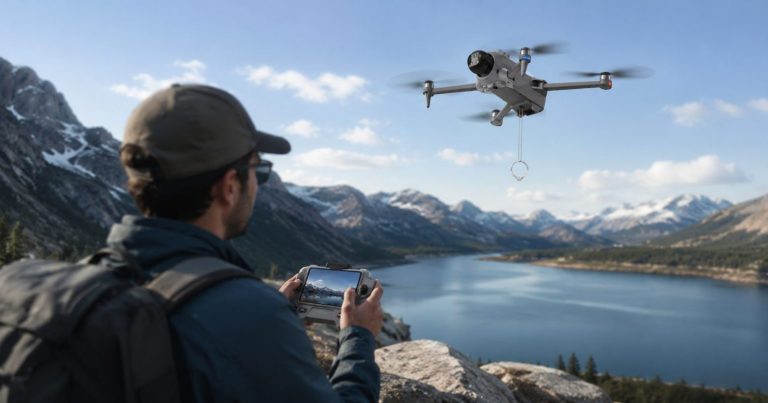
Illustration only. The safest rain landing is not always the original Home Point.Turn Back While Manual Control and Visibility Are Still Predictable
If the drone is visible, responding normally, and the return path is clear, begin a deliberate return toward a suitable dry landing area. Keep the route simple. Avoid adding an orbit, automated shot, low pass, or unnecessary climb. If a closer safe landing area is available, it may be better than forcing the aircraft all the way to the original home point through worsening weather.
Do Not Climb Just Because Rain or Video Makes the Route Harder to See
Climbing can expose the aircraft to stronger wind, use more battery, and keep it in precipitation longer. An altitude change should solve a real obstacle or route requirement, not be a reflex to improve a weak view. When the route is already clear, the simpler decision is usually to return and land.
Do Not Intentionally Trigger Signal-Loss or Low-Battery Return-to-Home
Automatic recovery is a backstop on supported drones, not a wet-weather test. Intentionally turning off the controller, flying behind an obstruction, or waiting for the battery to become low removes control margin at exactly the wrong time. If supported RTH activates on its own, monitor the aircraft and follow the model instructions rather than assuming the direct path is free of obstacles or wind.
The Best Rain Landing Is Not Always the Original Home Point
Return-to-home and risk reduction are not always the same decision. If the original home point is farther away, lies through worsening rain, or requires a longer headwind return, a nearer suitable dry landing area can be the lower-exposure choice. A clean landing pad, dry paved area, or other reachable safe surface is preferable to wet grass or standing water. Keep people, traffic, power lines, trees, and other hazards out of the landing path, then power down promptly after landing.
If rain starts in flight: stop extending the route → keep the aircraft in sight → use the simplest clear path → choose the nearest suitable dry landing area → power down → inspect before any relaunch.
Thunder Ends the Rain-Rating Debate
A water-resistance rating does not make an outdoor pilot safe around lightning. The U.S. National Weather Service states that there is no safe place outside when thunderstorms are in the area and advises people to move to safe shelter when thunder is heard. See the NWS lightning safety guidance. If thunder is heard during setup or flight, end the outdoor activity and seek appropriate shelter rather than testing the drone’s rain capability.
Rain Plus Wind, Cold, or Open Water Removes More Flight Margin
Wet weather rarely arrives as a single isolated variable. Rain may arrive with wind, lower temperature, haze, wet ground, or a route over water. Each condition removes a different part of the flight margin, so a rain rating should never be used to ignore a separate wind, battery, visibility, or landing problem.
Rain and Wind: Moisture Exposure Plus a Harder Return
Wind can push the drone, increase propulsion demand, change the return time, and drive rain against the aircraft from changing directions. Use the beginner drone wind guide for sustained wind, gusts, altitude exposure, and headwind-return planning. A rain-approved enclosure still does not prove adequate wind margin.
Cold Rain or Wet Snow: Add Battery and Condensation Concerns
Cold conditions can reduce practical battery margin while precipitation adds moisture exposure. Snow can melt on warmer surfaces, and a cold aircraft brought into warm humid air can develop condensation. The cold-weather drone guide owns battery temperature, snow, and post-flight condensation handling.
Rain Over Water: Fewer Dry Landing Options
When the route crosses a shoreline, rain is only one part of the decision. A battery or control problem over land may leave several landing choices; over water, a dry alternate may be much farther away. Plan a dry home point, a realistic return reserve, and a reachable alternate landing area before the flight begins.
A verified rain rating answers only the water-exposure question. It does not cancel a separate wind, cold, visibility, battery, or route problem.
After a Wet Landing, Do Not Treat a Dry-Looking Surface as Proof the Drone Is Dry
The important post-rain question is whether water may still be present where you cannot see it. A shell can look dry while moisture remains around a battery latch, connector, motor, camera joint, sensor window, seam, or inside the controller. Do not rush from landing directly into charging or another flight.
Power Down Before You Start Wiping and Inspecting
After landing on a safe dry surface, stop the motors and power the aircraft down according to the model instructions. Remove the battery only when the manual permits it and the area around the battery compartment can be handled without pushing more water inside. Keep the battery contacts away from metal objects.
Do Not Charge a Wet Battery or Wet Aircraft
Charging adds energy to the system and should not be used as a way to see whether wet equipment still works. If the battery, contacts, charging port, or aircraft may be wet, keep the equipment powered off and follow the manufacturer’s drying, inspection, service, or replacement procedure before charging.
Use Gentle Drying, Not Direct High Heat
Blot visible water with a clean soft material and allow the equipment to dry in the way the manufacturer recommends. Do not use an oven, open flame, or intense heat source. High heat can damage plastics, adhesives, batteries, seals, displays, and lubricated parts while failing to remove trapped moisture safely.
Inspect Before the Next Power-On
Check the battery bay, contacts, camera, gimbal area, motor openings, sensors, arms, controller, screen, and charging ports for visible water, residue, corrosion, or damage. If water entered the body, battery compartment, motor, connector, or controller, use model-specific service guidance before operating the equipment again.
| After-Rain Condition | Do Next | Do Not Do |
|---|---|---|
| A few external drops, no known ingress | Power down, dry, inspect and follow model instructions | Relaunch immediately because the drone still powers on |
| Water around battery bay or contacts | Keep powered off; isolate and inspect according to the manual | Connect a charger to test the battery |
| Wet camera / sensor window | Dry gently and inspect before reuse | Assume software stabilization will compensate |
| Water suspected inside body or controller | Stop use and obtain model-specific service guidance | Use heat to force rapid drying |
| Battery is wet, swollen, hot, damaged or fault-reporting | Keep it out of service and follow supplier handling/disposal guidance | Charge, puncture, squeeze or continue flying it |
If the Drone Lands in Water, Move to Water-Recovery Guidance
A drone that has been rained on is different from a drone that has been submerged or has landed in a puddle, lake, river, or ocean. Immersion can expose the battery, motors, connectors, camera, and internal electronics far beyond normal precipitation. Do not power the aircraft back on merely to check whether it survived.
Personal safety comes first. Do not enter deep, fast-moving, contaminated, icy, or otherwise hazardous water to recover an aircraft. If recovery can be done safely, keep wet equipment powered off and follow the model and battery instructions. Saltwater exposure deserves especially careful supplier or service guidance because residue can remain after the surface dries.
A drone that has been submerged needs a different recovery decision from one exposed only to rain. For shoreline planning, water landings, and recovery after immersion, use the drone-over-water guide.
RCDronego Wet-Weather Evidence Audit: What Is Actually Verified?
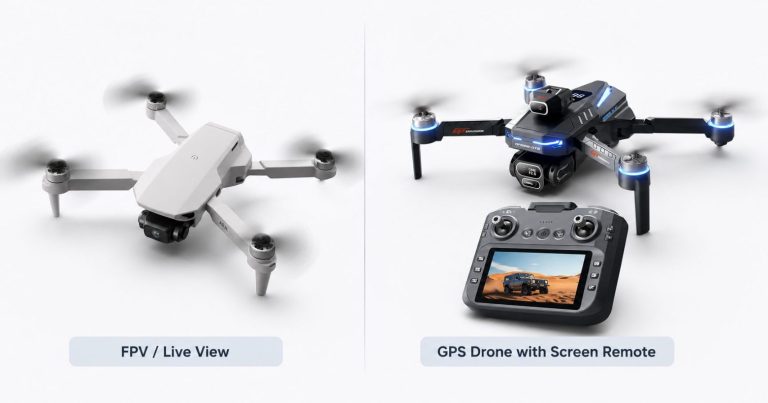
RCDronego’s current specifications make it possible to audit what is known and what is still missing. GPS, RTH, optical flow, brushless motors, EIS, a gimbal, screen remotes, weight, range, and listed flight time are documented on selected models. A verified aircraft IP code, controller rain rating, battery-bay wet procedure, and post-rain operating procedure are not currently provided for the main GPS line. Those missing fields matter because the Rain Readiness Chain is only as strong as its weakest exposed link.
| Model | Aircraft Rain / IP Rating | Controller Rain Rating | Wet Battery-Bay / Post-Rain Procedure |
|---|---|---|---|
| XT606 | Not provided | Not provided | Not provided |
| GT6 | Not provided | Not provided | Not provided |
| S-X1 | Not provided | Not provided | Not provided |
| AE20 Max | Not provided | Not provided | Not provided |
| XT808 | Not provided | Not provided | Not provided |
If stable GPS positioning, a screen remote, camera features, or listed endurance are your main buying priorities for dry-weather outdoor flying, use the beginner GPS drone guide to compare the confirmed features. Water resistance should remain a separate model-documentation check.
GPS, RTH, optical flow, brushless motors, EIS, a gimbal, a screen remote, or a product photo taken outdoors does not establish rain resistance. Until the missing wet-weather fields are documented, the honest product claim is dry-weather outdoor use, not “rain-ready.”
Use the Weakest-Link Test for a Rain Go / No-Go Decision
A beginner should not need to debate every raindrop at the launch site. Check the Rain Readiness Chain and stop at the first weak link: unknown aircraft rating, unrated controller, exposed battery area, wet launch surface, poor visibility, thunder, or another condition that the model documentation does not permit.
| Situation | Decision | Reason |
|---|---|---|
| Dry weather and dry launch area | Go after normal preflight checks | No precipitation exposure is present |
| Rain or drizzle; model has no verified wet-weather rating | No-go | The aircraft’s protection level is unknown |
| Fog / mist reducing visual awareness | No-go | Visibility and moisture are both becoming limiting factors |
| Wet grass but no falling rain | Use a dry elevated pad or wait | Ground moisture can reach the aircraft during takeoff/landing |
| Model documentation explicitly permits the current precipitation | Only within the documented conditions | The rating and manual—not a generic drone claim—set the boundary |
| Thunder heard or thunderstorm approaching | No-go / seek shelter | Outdoor lightning safety overrides the flight plan |
| Aircraft returned wet from unexpected rain | No relaunch until handled per model instructions | Surface appearance does not prove internal dryness |
A Short Photo Is Not Worth Testing an Unknown Water Limit
The strongest pressure to keep flying usually comes when the shot looks easy to finish: one more pass, one last orbit, another 30 seconds. That is exactly when a beginner should make the decision simple. If the model is not documented for rain, the wet-weather experiment has no useful upside.
Wait for Dry Conditions When the Rating Is Unknown
Waiting is not an overly cautious answer; it is the only decision that does not require inventing an aircraft limit. A dry day lets the pilot evaluate GPS, wind, battery, camera, and control behavior without also trying to discover whether the enclosure tolerates water.
Beginner Checklist When Rain Is Possible
Before Leaving for the Flight
- Check the current forecast for precipitation, thunderstorm risk, wind, and visibility.
- Read the exact aircraft and controller documentation for any rain, water-resistance, or IP statement.
- Do not transfer a water-resistance claim from another drone, battery, controller, or accessory.
- Pack a clean dry landing pad and a dry place to power down and inspect the aircraft.
- Know which route can be reversed quickly if the weather changes.
At the Launch Site
- Confirm that the aircraft, battery bay, contacts, camera, sensors, controller, and screen are dry.
- Reject a launch from wet grass, standing water, mud, slush, or another surface that can throw moisture into the aircraft.
- Use normal GPS, battery, controller, propeller, motor, and home-point checks for the exact model.
- Keep the first route close enough that an immediate dry landing remains easy.
- Do not launch when thunder is heard or visibility is already deteriorating.
If Rain Starts in Flight
- Stop extending the route or continuing the planned shot.
- Keep the drone in direct visual awareness and use the simplest clear return path.
- Return manually while control, battery, and visibility remain predictable.
- Do not climb only to improve video or GPS confidence.
- Do not intentionally trigger signal-loss or low-battery RTH.
- Land on the nearest suitable dry area and power down.
After Landing
- Keep the aircraft powered off while checking for visible moisture.
- Remove the battery only as the model instructions permit and avoid pushing water into the compartment.
- Do not charge the aircraft, controller, or battery while moisture may be present.
- Dry gently; do not use direct high heat.
- Inspect battery contacts, motors, camera, sensor windows, seams, controller and charging ports before the next power-on.
- Use supplier or service guidance when water may have entered the body, battery bay, controller, motor, camera, or connector.
For a beginner, the decision can stay simple: unknown wet-weather rating plus active precipitation means wait; unexpected rain in flight means reduce exposure and land; wet equipment after landing means power off, dry, inspect, and follow the exact model guidance before reuse.
Frequently Asked Questions About Flying a Drone in the Rain
Only when the exact model documentation specifically permits that level of precipitation. Light rain still exposes the aircraft and controller to moisture. If no verified rain or ingress-protection rating is available, choose dry conditions.
Drizzle is still wet-weather exposure, and fine droplets can accumulate during the flight. A drone may continue operating without showing an immediate fault, but that does not prove the electronics, battery bay, camera, sensors, or controller are protected.
GPS is a positioning feature, not a water-resistance rating. A GPS drone can have return-to-home, optical flow, brushless motors, EIS, or a gimbal and still have no verified rain or waterproof protection.
Stop extending the route, keep the aircraft in sight, return along the simplest clear path while control and battery remain predictable, land on a suitable dry area, power down, and inspect the drone before any relaunch.
Keep it powered off, do not charge a wet battery or wet aircraft, dry visible moisture gently, and follow the exact manufacturer procedure before powering on again. If water entered the battery bay, body, motor, controller, camera, or connectors, use model-specific service guidance.
Only after both the weather and the launch area are suitable. Wet grass, puddles, fog, mist, or water on the aircraft can still create moisture and visibility problems. Use a dry launch surface and confirm that the drone and controller are dry before flying.
The Bottom Line: Do Not Turn Rain Into an Unrated Drone Test
Can you fly a drone in the rain? Only when the complete flight system—not just the aircraft shell—is documented for the wet condition you are facing. A rain-rated aircraft does not automatically create a rain-ready flight if the controller, battery area, camera, sensors, landing surface, or visibility is the weak link. The rain-risk window also lasts longer than the visible rainfall: wet grass before takeoff and residual moisture after landing still matter. For RCDronego’s current GPS models, no verified rain or IP rating is provided, so the beginner decision is dry-weather use. If unexpected rain begins, stop extending the route, choose the simplest clear path, and remember that the best rain landing is not always the original home point. Land on the nearest suitable dry area, power down, and inspect before reuse. If thunder is heard, end the outdoor activity and seek proper shelter.